
Today, we’re introducing the Cognitive Canvas — a completely reimagined interface built around one principle: speed.

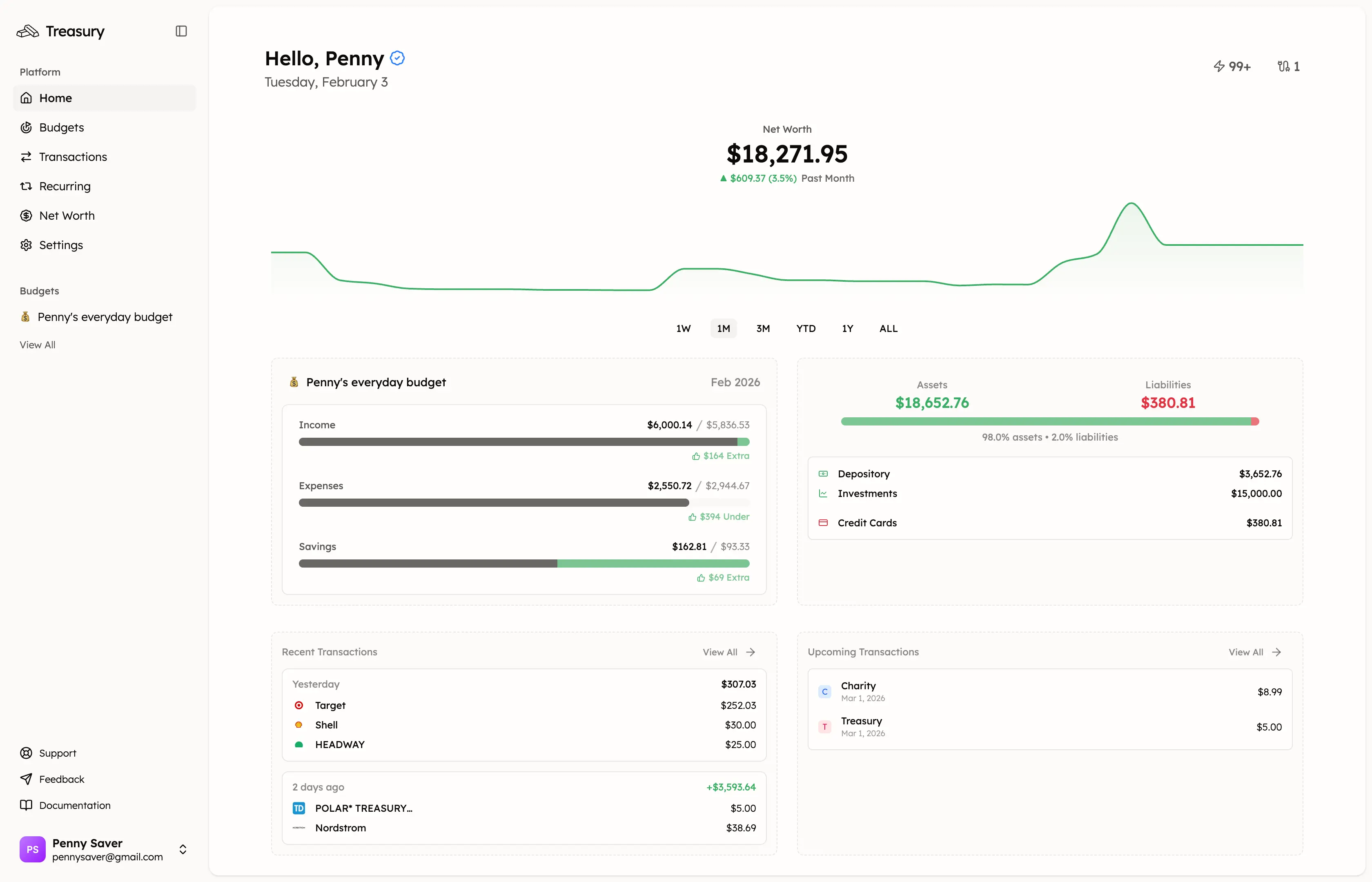
Manage Your Money, Your Way — But Faster
Every interaction in Treasury has been rethought. We asked ourselves: how can we remove friction from every tap, every click, every edit? The Cognitive Canvas is our answer.
A Warmer Look
The first thing you’ll notice is the warmth. We’ve moved away from cold, clinical interfaces toward a palette that feels inviting and calm.
Managing your finances can be stressful. Your tools shouldn’t add to that. The softer tones and refined typography make spending time in Treasury feel less like a chore and more like something you actually want to do.
Multi-Select Like macOS
Power users, this one’s for you.
Hold Shift and click to select a range of items — just like you’d expect on macOS. Select multiple transactions, then bulk categorize, tag, or delete them all at once. What used to take dozens of clicks now takes two.
Bulk Actions
When you select items, a bulk actions panel appears with everything you need: set dates, apply tags, categorize, or delete — all in one place. No more editing transactions one by one.
Cards That Organize Your Data
The dashboard is built around cards that group related information together. Your transactions are organized by date, with daily totals so you can quickly scan your spending patterns.
Budget cards show category breakdowns. Account cards show balances at a glance. Everything follows the same visual language — learn one pattern, understand them all.
Consistency Across the App
The Cognitive Canvas brings consistency to every corner of Treasury.
Same interactions. Same visual patterns. Whether you’re editing a transaction, managing a budget, or reviewing your accounts — it all works the same way. No surprises, no hunting for buttons that moved.
Built for Speed
Every decision we made optimized for speed:
- Smart filtering — find any transaction in seconds
- Bulk actions — handle multiple items at once
- Responsive design — works seamlessly on any device
The goal is simple: get in, manage your money, get out. Treasury should fit into your life, not demand your attention.
Try It Now
The Cognitive Canvas is live for all users. We can’t wait for you to experience it.
Let us know what you think — your feedback shapes everything we build.
— Junead