Help Center Banks and accounts
Rename, exclude or remove a bank account
Rename one account from a connected bank, leave it out of your net worth with Exclude, or remove it once it no longer syncs.
Updated
Rename an account
You can give any connected account a clearer name in Treasury. The new name stays when the bank syncs, and your bank keeps its own name. To rename a manual account, use Edit in Manual Accounts.
- In Settings → Connections, select the bank to show its accounts.
- Open the account’s ⋯ menu and select Edit.
- In Edit Account Name, type the New Name and select Save changes. Original Name shows the name your bank uses.
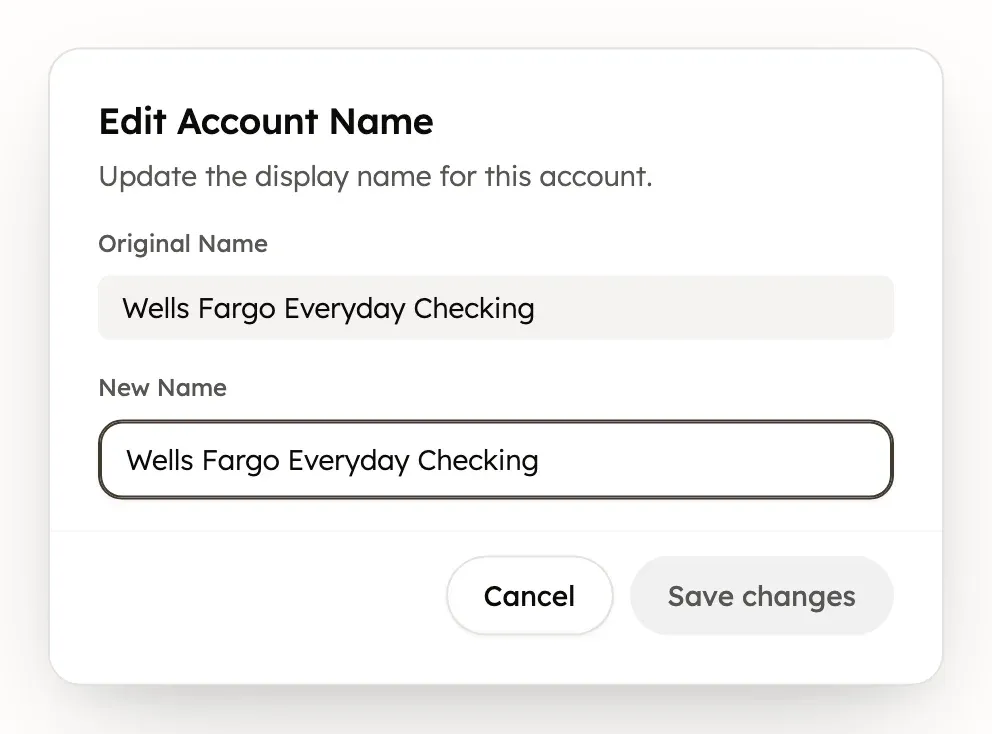
You can also open the account in Net Worth and select Edit account (the pencil). Change the Display name, then select Save changes. A credit card’s Credit limit is in the same window: see Set a card’s credit limit.
Exclude an account from net worth
Exclude leaves a connected account out of your net worth, such as an account you manage for someone else.
- In Settings → Connections, select the bank to show its accounts.
- Open the account’s ⋯ menu and select Exclude.
Select Include in the same menu to count it again. Excluded accounts also leave the Net Worth list and account pickers. Transactions the account already has stay in Transactions and your budgets.
While an account is excluded, Treasury skips its new transactions. Transactions from that time don’t come back when you include it again.
Treasury also stops finding bills in an excluded account.
Manual Accounts has no Exclude or Include. Select Include before you convert an excluded account to manual, because a converted account stays excluded. To leave a manual account out, set its balance to 0 in Manual Accounts, or remove it.
Remove a single account
Treasury removes a single account only after your bank stops sharing it. To stop sharing one account:
- In Settings → Connections, open the bank’s ⋯ menu and select Reconnect.
- In the Plaid window, untick the account and finish. After the next sync the account shows as disconnected.
Once an account shows as disconnected, ticking it again in Plaid doesn’t bring it back. While the bank stays connected, adding it again with New Connection is blocked too, because the account is already there.
Then remove it:
- Open the account’s ⋯ menu and select Remove Account.
- Choose Convert to manual account or Delete all data, then select Convert to Manual or Delete Everything.
Convert to manual account keeps all its transactions and moves it to Settings → Manual Accounts, where you can keep adding transactions. Delete all data deletes the account with its transactions, recurring items and any investment records.
Remove Account doesn’t appear for a bank’s only account. To remove that, disconnect the whole bank.
Delete all data is permanent. Its transactions don’t go to Trash and can’t be restored.
Update one account’s balance
Treasury updates all of a bank’s accounts together, so there’s no refresh for a single account. To get the latest balances, sync the bank. A manual account’s balance only changes when you edit it.
If an account is greyed out
In Settings → Connections, a greyed-out account has an icon that explains why:
- A crossed-out box means Excluded from Net Worth. Select Include in its ⋯ menu to count it again.
- A plug means Disconnected from Plaid. Your bank no longer shares it, so it stops syncing and leaves your net worth. Its history stays until you convert or remove it.
Was this helpful?
Related guides
Questions about your own money?
Treasury AI can look through your accounts, budgets and transactions and answer in plain language. Something not working? Email support@treasury.sh.