Help Center Getting started
First week with Treasury
In your first week, connect every bank, categorize new transactions, check your first budget and bills, then ask Treasury AI about your money.
Updated
What’s ready when you finish setup
Treasury prepares three things when you finish setup, so your first week is checking rather than building:
- Categories. Treasury creates starter categories, or keeps ones you imported, and sorts your transactions into them. See How Treasury sets up your categories.
- A first budget. Treasury builds a budget, from your recent spending when it can, and shows it on Home. See Find your first budget on Home.
- Bills and subscriptions. Treasury looks for repeating payments each time your banks sync. See How Treasury finds bills and subscriptions.
Connect every bank and card you use
Treasury’s totals are only complete when every account you spend from or save in is connected. Add any bank you skipped during setup in Settings → Connections. See Connect a bank.
- For cash, a house or a bank Plaid can’t connect, add a manual account.
- To bring older history from another app, see Switch from Monarch or another app.
Categorize new transactions
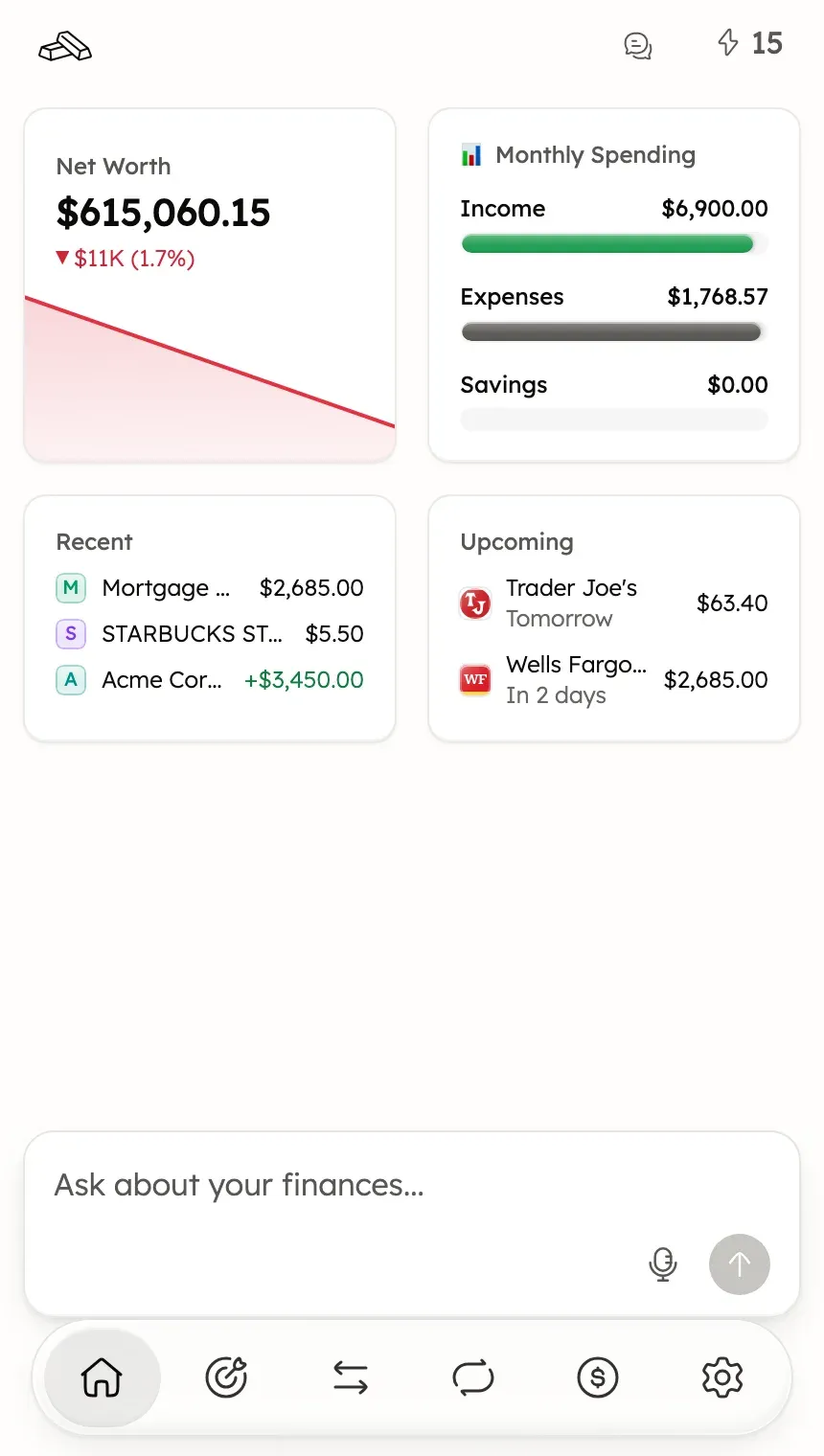
When transactions have no category, a lightning bolt at the top of Home shows how many. Select it to open them in Transactions.
To file them one at a time, use Turbo-Review. See Review transactions one at a time. To have Treasury file more for you, see Make auto-categorize more accurate.
Check your first budget
Your primary budget’s card on Home shows Income, Expenses and Savings against what you planned. Select the card to open the budget.
- To see what each total counts, read Budget totals explained.
- To change its amounts or categories, see Edit a budget’s name, categories or amounts.
- If moving money between your own accounts inflates a total, see If transfers make budget totals look too high.
See your bills on the Recurring calendar
Recurring puts the bills, subscriptions and paychecks Treasury found on a calendar. New detections without a category wait in Review (the inbox) at the top of Recurring.
- To add or reject a detection, see Review detected bills.
- To add a bill Treasury missed, see Add a bill or subscription yourself.
- To fix an amount or date, see Edit an item or fix its dates.
Ask Treasury AI about your money
Treasury AI answers questions from your own Treasury data. Type a question in the Ask about your finances… box on Home, or select one of the suggested questions when Home shows them. See Start a chat.
- For questions that work well, see Questions that get good answers.
- For what it can and can’t do, read Treasury AI: what it can and can’t do.
Was this helpful?
Related guides
Questions about your own money?
Treasury AI can look through your accounts, budgets and transactions and answer in plain language. Something not working? Email support@treasury.sh.