Help Center Net worth and investments
Add and track investments
Investments shows holdings from connected brokerages and ones you add by hand, valued at each US trading day's closing price where Treasury has one.
Updated
Where your holdings come from
Investments shows holdings from two places: brokerage and retirement accounts you connect, and holdings you add by hand.
A connected brokerage shares its holdings and trades through Plaid. If a connection isn’t sharing investments yet, Investments names it with an Add investments button. With several, each button shows the bank’s name. To share them, see If investments, card or loan details are missing.
Treasury only reads your investments. It can’t buy, sell or move money.
Add a holding by hand
You can add a holding to any investment account, connected or manual. For an account Treasury can’t connect, first add a manual account with the Investment type.
- In Investments, select Add holding (the +).
- Under Security, search for a ticker or name and select it. For anything not listed, such as crypto or private shares, select Track a custom asset and enter a Name and Currency.
- Enter the Quantity and Price per unit. For a listed security, the label names its currency, such as Price per unit (USD).
- Optionally fill in Cost basis and As of. An empty cost basis becomes quantity times price.
- Choose the Account, then select Add holding.
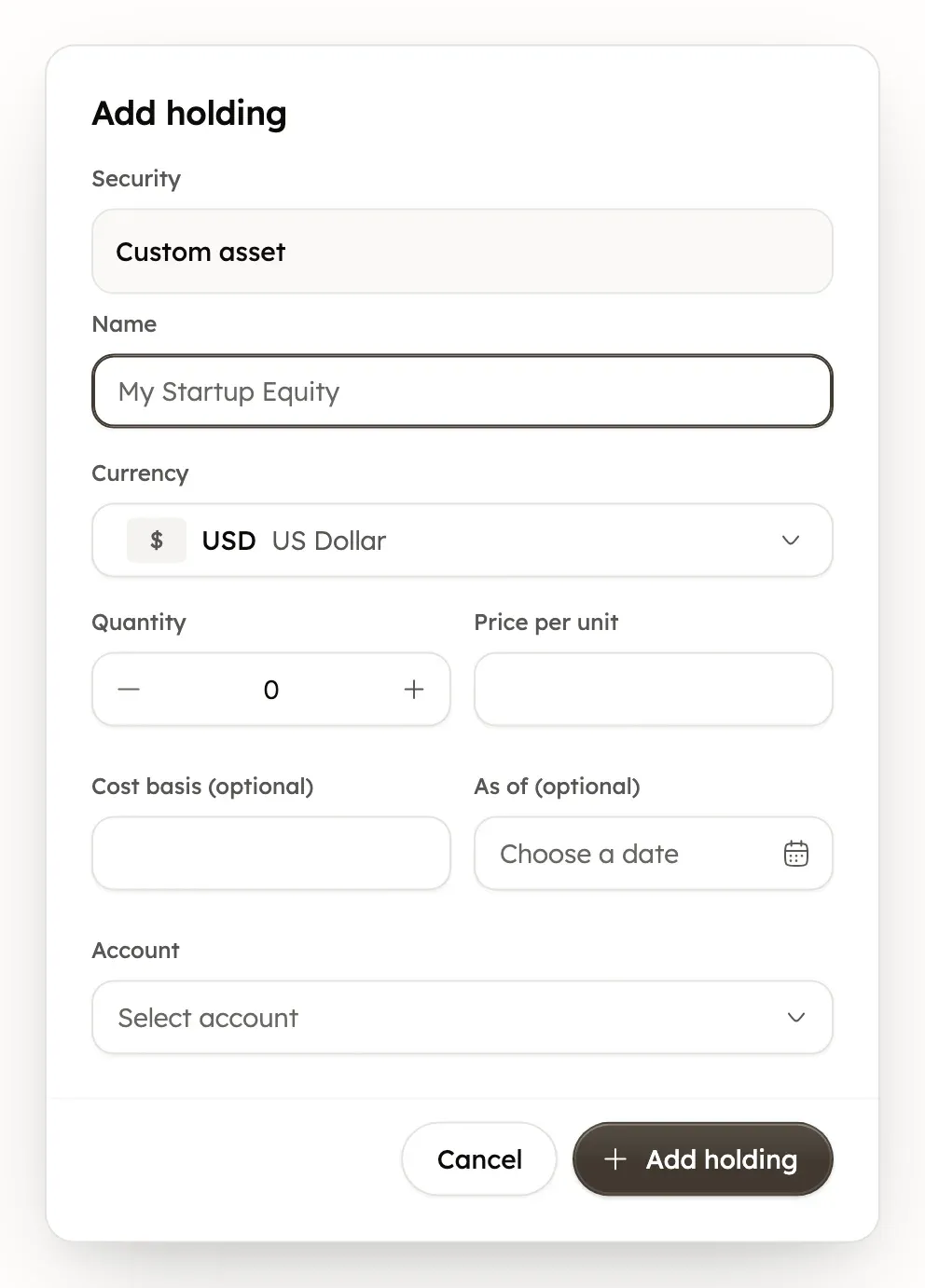
Search covers stocks and funds listed in the US, Toronto and London, plus securities your brokerages report and your own custom assets, marked Yours. Each security can be added once per account.
A manual investment account’s balance becomes the total value of its holdings. A holding added by hand to a connected account doesn’t change that account’s balance or your net worth. If the brokerage later reports the same security, its numbers replace yours.
How prices are updated
Prices in Treasury aren’t live. After each US trading day, Treasury fetches closing prices for the US-listed stocks and ETFs you hold that it can match to an exchange.
Other holdings use the price your brokerage reports, or the price you entered. That includes Toronto and London listings, cash, bonds, options, custom assets and brokerage securities with no exchange. A price you type for a US-listed holding lasts until the next close. Select a holding to see its Price and the date of that price.
Holdings in other currencies count in your primary currency. See Net worth, recurring and investment totals. To update a custom asset’s value, edit its price.
Edit or remove a holding
- In Investments, select a holding to open it.
- For a holding you added, select Edit holding (the pencil). Change the Quantity, Price per unit or Cost basis, then select Save.
- To remove a holding you added, select Remove holding (the bin), then Delete.
A holding from a connected brokerage updates itself, so you can only change its cost basis. Select Set cost basis (the pencil), enter it and save.
Removing a holding can’t be undone.
Portfolio, This year and Allocation
The Portfolio chart shows how your investments performed over the period you pick. Deposits and withdrawals don’t count as gains or losses. Where Treasury has the data, it compares your return with the S&P 500 and shows the difference as “vs index”.
This year shows Long-term gains, Short-term gains, Dividends, Interest and Fees so far this year. Gains are estimates and leave out 401(k) and IRA-style accounts. Your broker’s tax forms are the official figures.
Allocation splits your portfolio by asset class, and By account shows each account’s total. To regroup the holdings list, choose By asset class, By security type, By account or No grouping.
See trades and dividends
In Investments, select the Activity tab to see buys, sells, dividends and fees from your accounts. You can filter by Account, Type and period, or search the activity.
Was this helpful?
Related guides
Questions about your own money?
Treasury AI can look through your accounts, budgets and transactions and answer in plain language. Something not working? Email support@treasury.sh.