Help Center Getting started
What Treasury does
Treasury brings your accounts, transactions, budgets, bills and net worth into one place, with Treasury AI to answer questions about them.
Updated
What Home shows
Home is the first page you see in Treasury. It sums up your money in four cards, and each card opens the page behind it.
- Net Worth shows your total and how it changed over the past month.
- Your primary budget shows Income, Expenses and Savings against what you budgeted. A budget with an end date also shows the days left.
- Recent lists your latest three transactions.
- Upcoming lists your next two recurring payments, such as a bill or a paycheck.
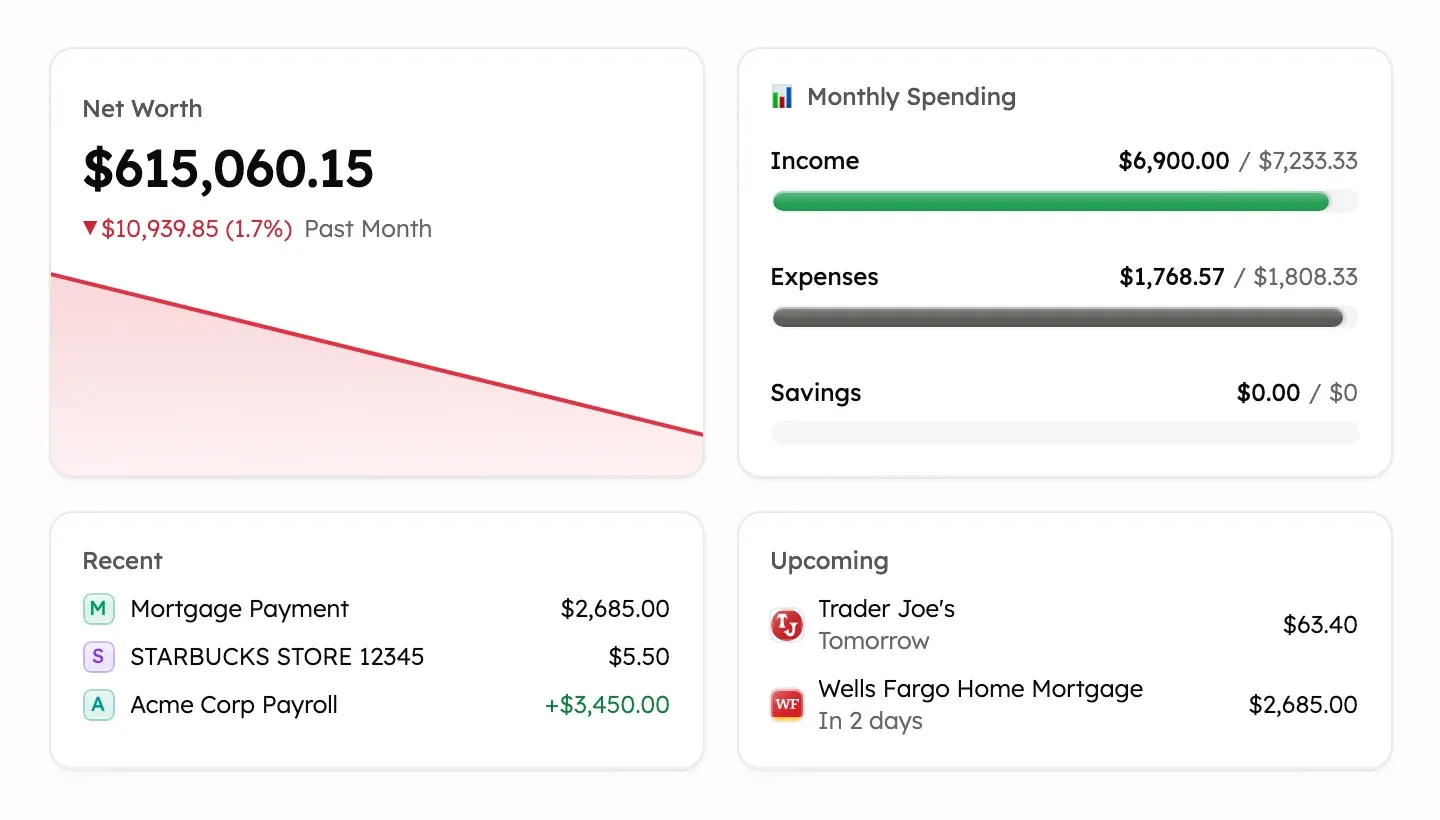
If the budget card says No primary budget set, select it to choose one. See Choose the budget Home shows. When you have any, badges at the top of Home count uncategorized transactions and banks you need to reconnect.
Accounts and connections
Treasury reads your balances and transactions from your banks through Plaid. For what it can and can’t do with them, see What Treasury can see from your bank.
- Settings → Connections is where you connect or reconnect a bank.
- Settings → Manual Accounts holds accounts you update yourself.
- Settings → Data Import brings in history from a file or another app.
Transactions and categories
Transactions lists every transaction from your connected and manual accounts. Treasury can sort each one into a category, and you can review new transactions or edit, split or delete one.
Categories, tags and automatic categorizing each have their own page in Settings. See Create, edit or merge categories, Tag transactions and Categorize automatically.
Budgets and your primary budget
Budgets compares what you spend and earn with a plan for a period, such as a month. Your primary budget also appears on Home.
See Create a budget and Budget totals explained.
Bills and subscriptions
Recurring puts your bills, subscriptions and regular income on a calendar. Treasury finds most of them in your transactions, and you can add the rest. See Track recurring bills and subscriptions.
Net worth and investments
Net Worth adds up what you own and subtracts what you owe, across all your accounts. Its History shows how the total has changed. See Track your net worth.
Investments shows the holdings in your investment accounts. See Add and track investments.
On a phone, both live under Wealth in the bottom bar. Switch between Net worth and Investments at the top of the page.
Treasury AI for money questions
Treasury AI answers questions about your money using your own Treasury data. Type a question in the Ask about your finances… box on Home. On a computer with an active plan, you can also select New chat (the plus) beside your chats in the sidebar.
Treasury AI can read your data but can’t change your transactions, budgets or accounts. See Treasury AI: what it can and can’t do and Control what Treasury AI remembers.
Settings pages and your plan
Settings holds everything about your account and how Treasury works for you:
- Your name opens your account, sign-in methods and Delete Account. See Sign in or recover your account.
- Preferences, Auto-Categorize and Memory change how Treasury behaves. See Change your preferences.
- Connections, Categories, Tags, Manual Accounts and Data Import manage your data.
- Your plan shows under Membership on a phone, or beside Settings on a computer. See Plans, trial and billing.
- Help & feedback under Support sends a message to the Treasury team.
Without an active plan, Settings only opens Account, Preferences and Subscription.
What Treasury doesn’t do
Treasury has a few limits people often ask about:
- No public API or webhooks. Treasury has no developer API, API keys or webhooks. To bring data in, see Which apps and files you can import.
- No Android app. On Android, see Use the web app in your browser.
- No payments. Treasury can’t move money, make payments or pay bills. See What Treasury can see from your bank.
- US banks only. Treasury connects only to banks in the United States. See Connect a bank.
- No transaction export. Treasury can’t export or download your transactions as a CSV or spreadsheet file.
Was this helpful?
Related guides
Questions about your own money?
Treasury AI can look through your accounts, budgets and transactions and answer in plain language. Something not working? Email support@treasury.sh.