Help Center Treasury AI
Control what Treasury AI remembers
Treasury AI remembers facts you share in chat, and you can review, edit or delete them, or turn learning off, in Settings → Memory.
Updated
How Treasury AI learns about you
Treasury AI saves lasting facts you share in a chat, such as your job, household, location, goals, preferences or regular income. It uses these memories to make later answers more personal.
Treasury AI doesn’t save guesses or passing details. It doesn’t save balances or transactions either, because it can look those up. When a fact changes, it updates the memory instead of adding a second one.
Memories are separate from your financial records. Changing or deleting a memory never changes your transactions, budgets or accounts.
See your saved memories
Open Settings → Memory to see every memory Treasury AI has saved, under Memories. If there are none, you see No memories yet.
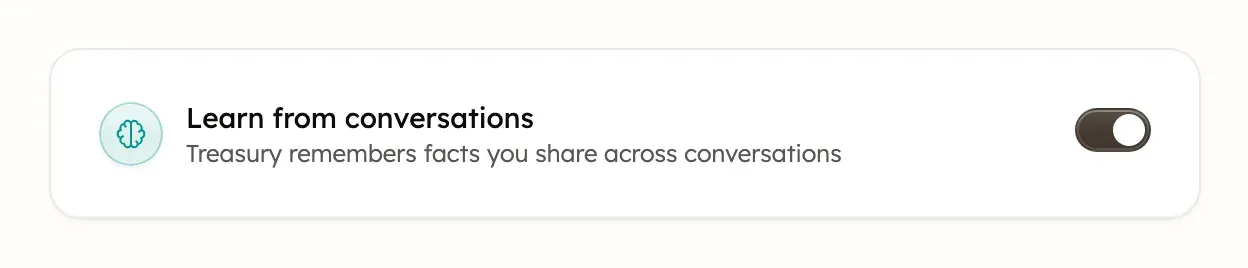
Turn off learning from conversations
To stop Treasury AI using and saving memories, open Settings → Memory and switch off Learn from conversations.
While learning is off, Treasury AI doesn’t read your memories, and it can’t add, change or forget any in a chat. It also stops your past questions and memories being used to pick Home’s suggested questions. Memories you already have stay in the list until you delete them. Switch learning back on to use them again.
Add a memory
To tell Treasury AI something directly:
- In Settings → Memory, select New Memory.
- In Add Memory, enter a Label, such as “Salary”, and a Value, such as “Earns $85,000 a year”. These are example values.
- Select Save.
You can also ask Treasury AI in a chat to remember something.
A label can be up to 50 letters, numbers and spaces, starting with a letter. Treasury saves it in lowercase. A value needs 5 to 500 characters and should be a plain fact, not an instruction. Saving a label you already have replaces that memory.
Treasury blocks values that look like a Social Security, card or account number, or a password. It can’t catch every one, so never add them. It can also block a phone number or ZIP+4 code. In Settings, a blocked value shows Couldn’t add the memory, or Couldn’t update the memory when editing, with the reason.
Edit or delete a memory
- In Settings → Memory, find the memory and select Open menu (the ⋯) on its row.
- Select Edit to change its value, then Save. Or select Delete, then Delete again to confirm.
To delete several, select their checkboxes, select Delete, then confirm. You can also ask Treasury AI in a chat to forget something.
A label can’t be edited. To rename one, delete the memory and add it again.
Clear every memory
To start fresh, select Clear all memories under the list in Settings → Memory, then select Clear all. Treasury AI then won’t remember anything about you.
Deleted and cleared memories can’t be brought back.
Was this helpful?
Related guides
Questions about your own money?
Treasury AI can look through your accounts, budgets and transactions and answer in plain language. Something not working? Email support@treasury.sh.