Help Center Account and billing
Use more than one currency
Each transaction keeps its own currency, and Treasury converts it into your primary currency at that day's exchange rate for totals and net worth.
Updated
Your primary currency
Your primary currency is the one Treasury adds everything up in. Totals on Home, Transactions, Recurring, Net Worth and Investments use it. New budgets start in it too. Treasury starts in US dollars.
Each transaction and account keeps the currency it happened in. Treasury stores a converted copy of the amount for totals and leaves the original as it is.
Change your primary currency
- Open Settings → Preferences.
- Under Primary Currency, choose a currency.
- Select Save Changes. Primary currency updated appears when it’s done.
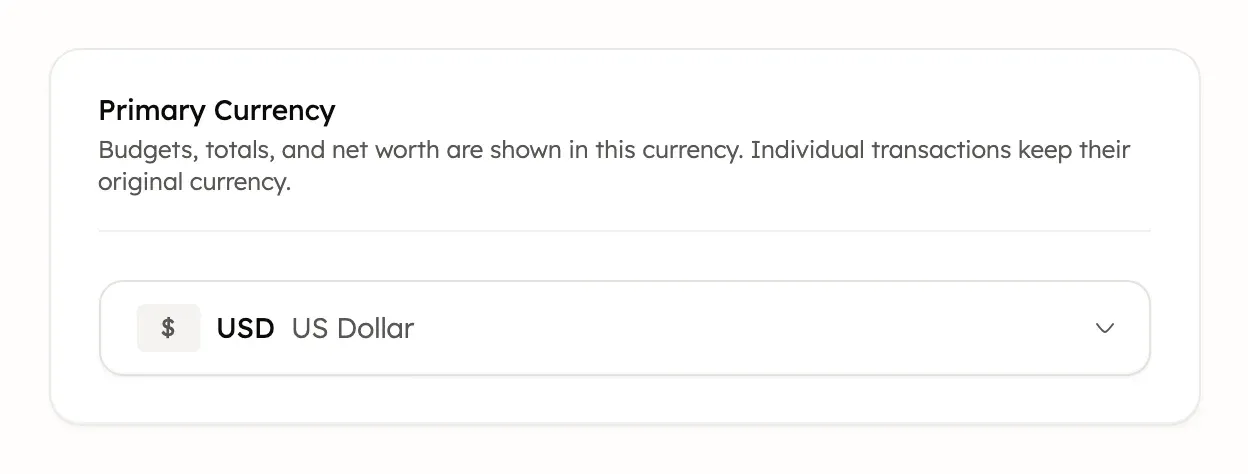
Treasury then converts every transaction again, each at the rate for its own date. It also converts your saved net worth history. Your budgets keep their currency, so change a budget’s currency yourself if you want it to match.
Only standard currencies can be your primary currency. Crypto currencies, such as Bitcoin, aren’t offered.
How transactions in another currency show
A transaction in another currency shows in your primary currency, with an exchange icon beside the amount. Select the icon to see the original amount, the rate and the rate’s date.
Treasury converts each transaction at the exchange rate for its own date. A trip’s charges in March use March’s rates, even if you look at them in June. To fix a transaction whose currency is wrong, edit its amount and change the currency.
Budgets in another currency
Each budget has its own currency, chosen under Currency when you create or edit it. A new budget starts in your primary currency.
A budget in another currency still counts all spending in its categories, whatever currency it was in. Treasury converts the total into the budget’s currency at today’s rate, for past periods too. So a charge made in the budget’s own currency can show a slightly different amount. When you pick another currency, the budget’s Currency field says All spending counts toward this budget, converted to that currency.
Changing a budget’s currency doesn’t convert its amounts. A $500 budget switched to euros becomes €500. These are example amounts. Changing your primary currency never changes your budgets.
Net worth, recurring and investment totals
- Net Worth converts each account’s balance at the latest exchange rate. Past entries in History that aren’t in your primary currency don’t show on the chart.
- Recurring converts each bill’s latest amount at today’s rate for the calendar and monthly totals.
- Investments converts holdings in other currencies into your primary currency for the portfolio total.
Currencies in imported transactions
When you import a CSV, a row with no currency is recorded in your primary currency. That includes a file with no Currency column or an empty cell, even for an account in another currency. Only Treasury’s own CSV template reads a Currency column.
If your file isn’t in your primary currency, add a Currency column with codes such as EUR or GBP. An unknown code makes that row an error. Rows with a currency are converted at each transaction’s own date.
If an amount says not converted
not converted beside an amount means Treasury has no exchange rate for that currency on that date. Some crypto and rare currencies have none.
An amount without a rate is left out of totals, budgets and net worth. Net Worth shows Excludes and the number of accounts left out. Treasury tries again every day, so an amount converts as soon as a rate exists for its date. For how it affects alerts, see budget alerts.
Where exchange rates come from
Treasury updates exchange rates once a day from Frankfurter, a free service that publishes central banks’ reference rates. A backup source fills in when Frankfurter has no rate. Crypto prices come from a daily public price list.
Rates aren’t live. Weekends and holidays use the last rate published before them. So a converted amount can differ a little from what your bank or card charged.
Was this helpful?
Related guides
Questions about your own money?
Treasury AI can look through your accounts, budgets and transactions and answer in plain language. Something not working? Email support@treasury.sh.