Help Center Banks and accounts
Add or update a manual account
Add an account Treasury can't connect in Settings → Manual Accounts, then keep its balance up to date yourself, because manual accounts never sync.
Updated
Add a manual account
A manual account tracks something Treasury can’t connect to, such as cash, a house, a car or a bank Plaid doesn’t support.
- In Settings → Manual Accounts, select New Account. If you have none yet, select Create account.
- Enter a Name.
- Under Type, choose Cash, Credit card, Investment, Loan or Other.
- Under Kind, pick the closest match, or select Enter your own.
- Under Balance, enter the amount and currency. Choose Owed for money you owe or Have for money you have.
- Select Create.
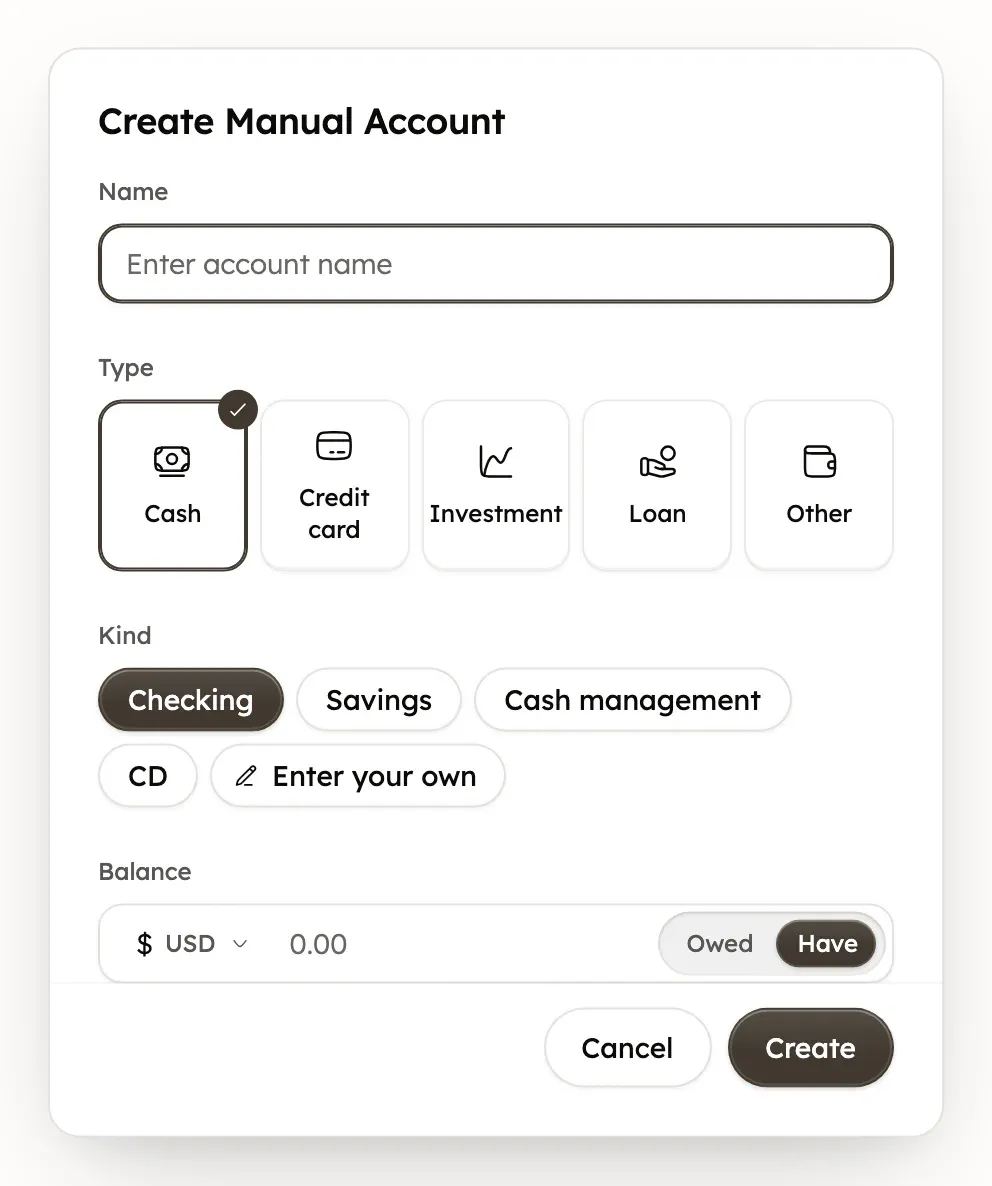
Each type offers its own kinds. Cash has Checking, Savings, Cash management and CD. Investment has Brokerage, Roth IRA, 401(k) and IRA. Loan has Auto loan, Mortgage, Personal loan and Line of credit. Other has Property, Vehicle and Trust.
In Net Worth, cash and investment accounts count as assets, and credit cards and loans count as debts. An Other account counts as an asset when you have it and a debt when you owe it.
Update a manual account’s balance
Treasury doesn’t update a manual account’s balance for you, except an Investment account with holdings. Change it whenever the real balance changes.
- In Settings → Manual Accounts, open the account’s ⋯ menu and select Edit.
- Change the Balance. You can also change the name, type, kind and currency.
- Select Save Changes.
Adding a transaction to a manual account doesn’t change its balance. Net Worth saves the new balance that evening, US time. Earlier days in your net worth history stay as they were.
A manual Investment account with holdings in Investments is different. Treasury replaces its balance with the holdings’ total once a day, after the US market closes, and whenever a holding changes. Removing its last holding sets the balance to 0.
Add a transaction by hand
A transaction you add by hand appears in Transactions and counts in your budgets like any other. Only the Transactions page has Add Transaction.
- In Transactions, select Add Transaction (the +).
- Enter the details. Under Account, choose a manual account, or leave No account, for example for cash.
- Select Add Transaction.
The Account field only appears when you have a manual account, and it only lists manual accounts. Connected banks add their own transactions. To bring in many transactions at once, import a file.
Move a manual account’s history into a connected bank
If your bank becomes available to connect, you can move a manual account’s history into the connected account. First connect the bank.
- In Settings → Manual Accounts, open the manual account’s ⋯ menu and select Merge.
- Under Merge into, choose the connected account. Only connected accounts with the same type and currency are listed.
- Check What will move, then type the manual account’s name to confirm.
- Select Merge account.
Its transactions, recurring items and budget account links move to the connected account, and the manual account is deleted. A merge can’t be undone. You can’t merge two manual accounts, or an account with investment records.
The connected account keeps the balance your bank reports. Treasury doesn’t remove transactions that both accounts have, so check the overlapping months for doubles.
To turn a connected bank into manual accounts instead, disconnect it and choose Convert to manual accounts.
Remove a manual account
- In Settings → Manual Accounts, open the account’s ⋯ menu and select Delete.
- Check how many transactions and recurring items are linked to it.
- Choose what happens to its history, then confirm.
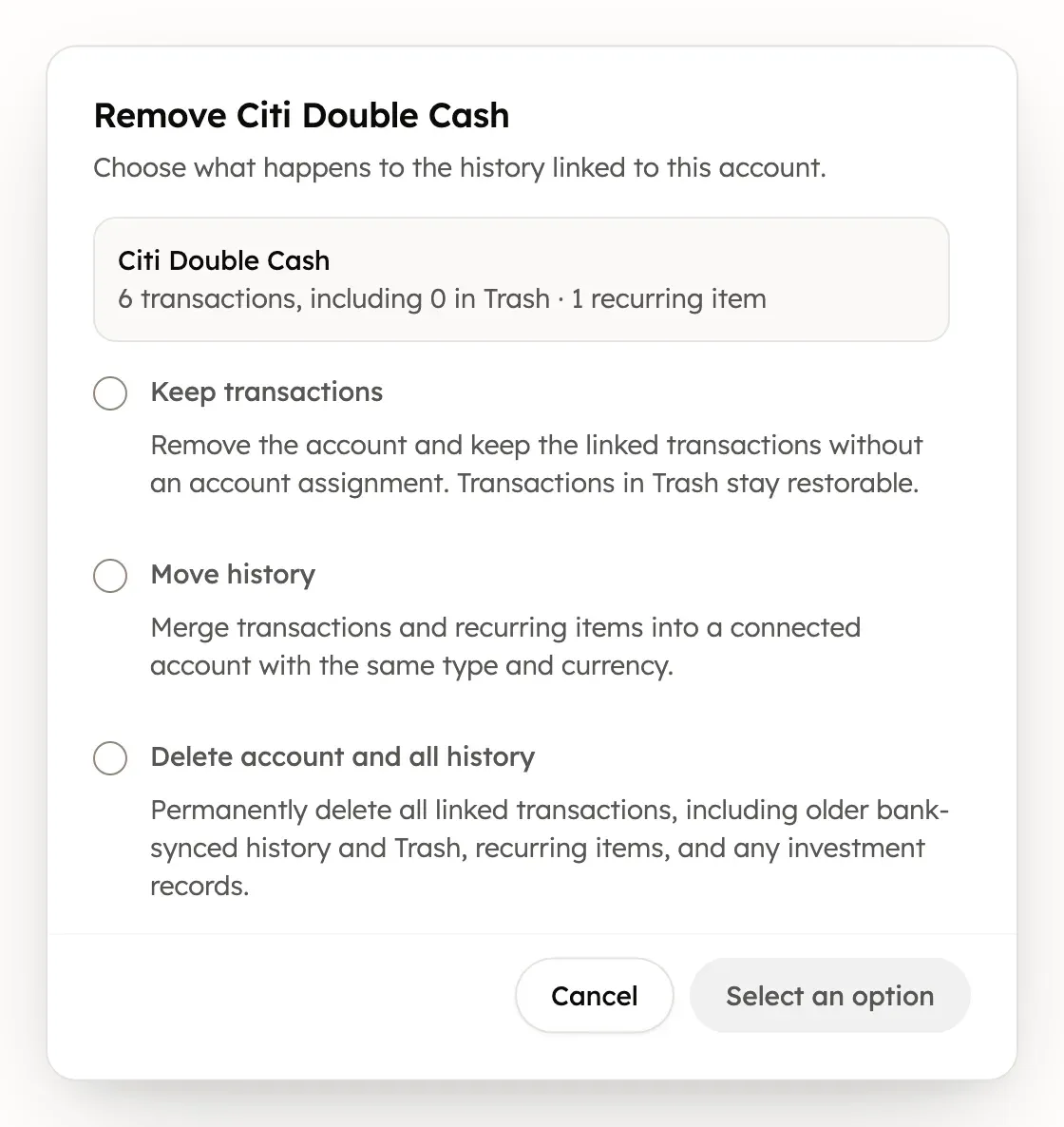
- Keep transactions removes the account but keeps its transactions, with no account assigned. Its recurring items are deleted.
- Move history opens Merge to move the history into a connected account.
- Delete account and all history deletes the account, its transactions, recurring items and any investment records.
To remove several accounts, tick them in the list and select Delete. Move history is only offered for one account at a time. An account with any investment records, such as holdings or activity, can only be removed with Delete account and all history.
Delete account and all history is permanent. Its transactions can’t be restored from Trash.
Was this helpful?
Related guides
Questions about your own money?
Treasury AI can look through your accounts, budgets and transactions and answer in plain language. Something not working? Email support@treasury.sh.